
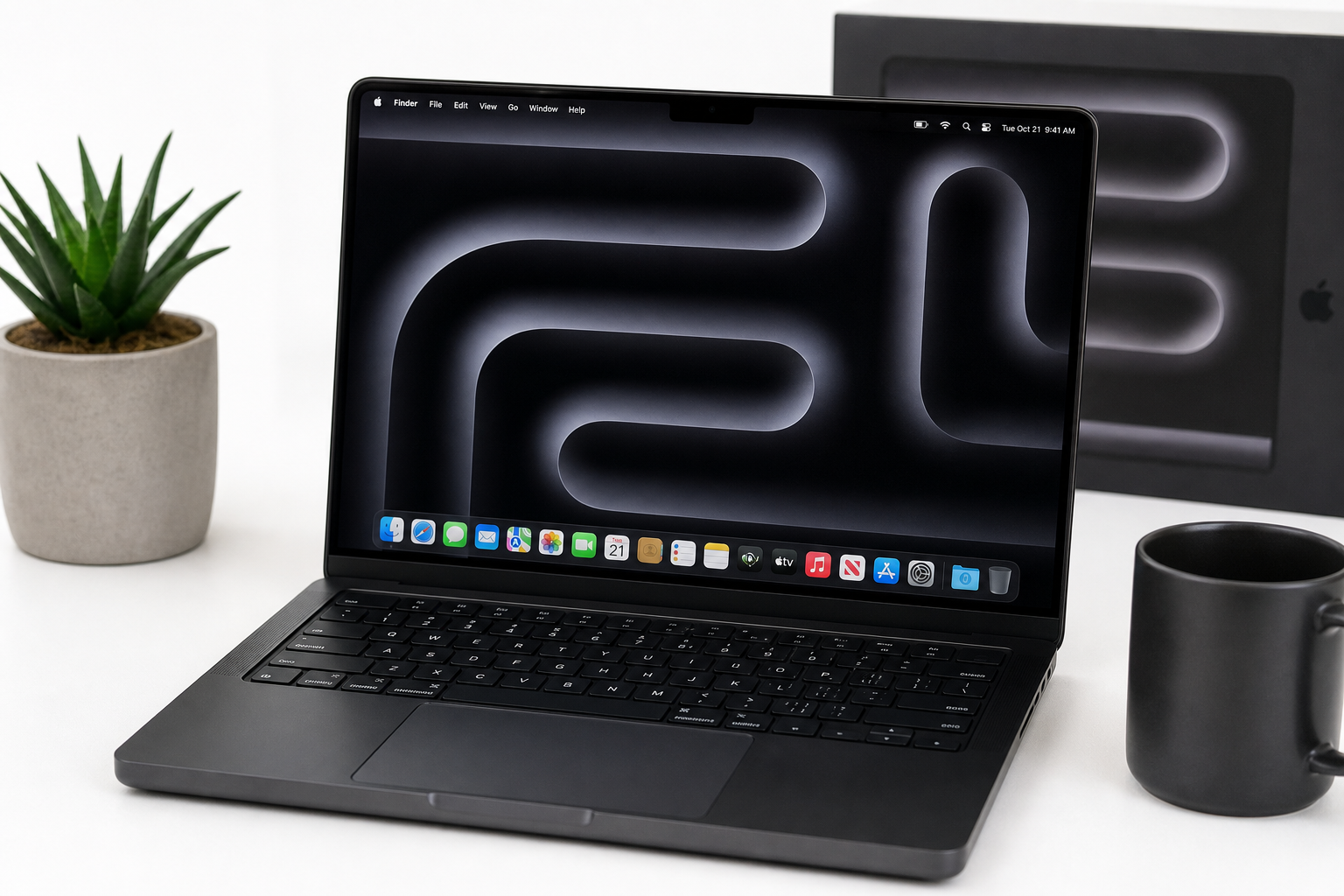
Apple 2026 MacBook Pro (M5 Pro, 14.2‑inch) Review
Introduction
Apple’s 2026 14.2‑inch MacBook Pro with the M5 Pro chip is positioned as a compact yet highly capable workstation. With a 15‑core CPU, 16‑core GPU, 24GB of unified memory, and a 1TB SSD, it’s clearly aimed at creators, developers, and AI‑focused professionals who need sustained performance without moving up to the bulk and cost of the larger Pro models.
On paper, the combination of a Liquid Retina XDR display, improved neural and graphics performance, and Wi‑Fi 7 makes this generation less of a simple spec bump and more of a forward‑looking platform for AI and GPU‑accelerated workloads. This review looks at how that hardware mix translates into real‑world use, where it excels, and where potential buyers should be cautious.
Note: Pricing on Amazon at the time of writing is around $2351.99, but this will fluctuate over time and between sellers.
Key Points
- Chip and performance: Apple M5 Pro with a 15‑core CPU and 16‑core GPU, tuned for AI‑accelerated and multithreaded workloads.
- Memory and storage: 24GB unified memory and a 1TB SSD provide a strong baseline for pro apps, large media libraries, and local AI models.
- Display: 14.2‑inch Liquid Retina XDR panel with high brightness, deep contrast, and excellent color accuracy for creative work.
- Connectivity: Wi‑Fi 7 support for higher throughput and lower latency on compatible networks, plus the usual mix of Thunderbolt/USB‑C and other MacBook Pro ports.
- Design: Space Black finish, familiar all‑metal chassis, and the established 14‑inch Pro form factor that balances portability and cooling headroom.
- Target user: Power users, creative pros, AI researchers, and developers who need strong performance, great battery life, and a top‑tier display in a relatively compact machine.
Experience
Design and Build
The 14.2‑inch MacBook Pro chassis remains a known quantity: dense, rigid, and clearly engineered for both durability and effective cooling. The Space Black finish adds a darker, more understated look compared to classic silver or space gray, with better resistance to visible fingerprints than earlier darker finishes.
Port selection on the 14‑inch Pro line is typically more generous than on Apple’s lighter laptops, and this model continues that trend. In practice, this means fewer dongles for most workflows: you can attach fast external storage, a monitor, and a capture device or audio interface simultaneously without immediately maxing out your connectivity.
Display and Audio
The 14.2‑inch Liquid Retina XDR display remains one of the standout features. High sustained brightness, deep blacks, and excellent HDR performance make it an ideal canvas for photographers, video editors, and designers. Fine‑grained local dimming and wide color support (P3) deliver accurate, punchy images without oversaturation.
For media consumption or content review, the panel’s combination of resolution, refresh, and HDR capability makes it comfortable to use for long sessions. The built‑in speakers are typically among the best in a laptop this size, providing enough clarity and low‑end presence for casual mixing checks or video editing without external monitors.
Performance and AI Workloads
With a 15‑core CPU and 16‑core GPU, the M5 Pro version of the MacBook Pro 14 is built to handle:
- Multi‑track 4K video editing and color grading
- Complex audio projects with many tracks and effect chains
- 3D content creation, rendering, and scene previews
- Software development with large codebases, virtual machines, or containers
- AI workloads such as model inference, on‑device fine‑tuning of smaller models, and data preprocessing
The unified 24GB memory pool benefits workflows that rely on large shared datasets between CPU, GPU, and neural engines. For example, loading large image datasets or fine‑tuning smaller language or vision models locally is noticeably smoother when all compute blocks draw from the same memory pool with high bandwidth.
In real use, this configuration is best seen as a balanced pro setup. It’s not the absolute top tier — that remains the domain of higher‑end M5 Max‑class machines — but the M5 Pro strikes a strong compromise between sustained performance, thermals, and battery life.
Storage and Capacity Planning
The 1TB SSD provides a sensible baseline for professional workflows. For many users, this will comfortably hold:
- The OS and major creative or engineering suites
- Several active projects in video, audio, or design
- A selection of local datasets, models, or containers used regularly
However, those storing large 4K/8K video libraries, extensive virtual machine collections, or multiple large AI models will still want fast external NVMe storage. The available Thunderbolt ports provide ample bandwidth for this, making it easy to keep the internal SSD focused on OS, applications, and current working sets.
Connectivity: Wi‑Fi 7
Support for Wi‑Fi 7 helps future‑proof the machine’s networking capabilities. On a capable router and network, users can expect:
- Higher peak throughput, useful for pulling large project files or datasets from a NAS
- Lower latency for remote collaboration, cloud renders, or remote development environments
- Better performance in congested wireless environments, such as busy offices or shared workspaces
While not everyone will immediately benefit — particularly if their infrastructure is still on Wi‑Fi 6/6E — having Wi‑Fi 7 onboard means the network won’t be a bottleneck once the rest of the environment catches up.
Day‑to‑Day Usability
In daily use, the combination of the M5 Pro chip, 24GB of unified memory, and macOS results in a system that feels consistently responsive. Heavy multitasking, such as running multiple pro apps alongside browser‑based tools and virtualized environments, is handled with minimal slowdowns.
Battery life remains a strength of Apple Silicon‑based MacBook Pros: for mixed pro and general use (IDE work, light compiling, browsing, communication apps, and some media editing), a full workday away from power is realistic, though sustained AI or GPU‑heavy workloads will naturally reduce runtime.
The keyboard, trackpad, and overall ergonomics remain in line with recent MacBook Pro generations: precise, reliable input devices with good key feel and a large, accurate trackpad that supports the full range of macOS gestures.
Pros
- Strong performance in a compact form factor thanks to the M5 Pro chip with a 15‑core CPU and 16‑core GPU.
- 24GB unified memory offers a substantial buffer for pro apps and AI‑driven workloads without stepping up to the most expensive configurations.
- 1TB SSD is a practical capacity for serious work while still leaving room for multiple large projects.
- 14.2‑inch Liquid Retina XDR display delivers excellent brightness, contrast, and color accuracy for content creation and HDR review.
- Wi‑Fi 7 support helps future‑proof wireless connectivity for high‑throughput, low‑latency workflows.
- Space Black design is visually distinctive while retaining the robust build quality of the MacBook Pro line.
- Excellent battery efficiency for a machine capable of sustained pro‑level performance.
- Tight integration with macOS and Apple’s software ecosystem, beneficial for users invested in Apple’s pro apps and services.
Cons
- Price at around $2351.99 on Amazon places it firmly in the premium tier, potentially overkill for casual users or light office work.
- Non‑upgradable memory and storage: configuration choices at purchase are permanent, so mis‑sizing RAM or SSD capacity can be costly.
- 24GB RAM ceiling on this configuration may be limiting for the most demanding 3D, simulation, or large‑model AI workloads that benefit from 32GB+.
- Port selection, while better than ultra‑thin laptops, may still require adapters for some specialized peripherals or multi‑monitor setups.
- macOS‑first environment: users deeply tied to certain Windows‑only toolchains or GPU‑specific workflows may need workarounds or additional hardware.
Verdict
The 2026 14.2‑inch MacBook Pro with the Apple M5 Pro chip is a compelling option for professionals and advanced users who need serious compute in a relatively compact laptop. Its combination of a 15‑core CPU, 16‑core GPU, 24GB of unified memory, and a 1TB SSD makes it particularly well‑suited to video editing, software development, design work, and a growing class of on‑device AI tasks.
The Liquid Retina XDR display, Wi‑Fi 7, and refined industrial design further strengthen its value for users who spend long hours working on‑screen and rely on fast local and network storage. The main trade‑offs are the high upfront cost (around $2351.99 on Amazon at the time of writing) and the lack of post‑purchase upgradability.
If you are a creative professional, AI practitioner, or developer seeking a balanced, portable macOS workstation that can serve as a primary machine for years, this configuration of the 2026 MacBook Pro is easy to recommend. Those who only need light productivity or who require extreme RAM and GPU resources for niche workloads may want to consider either a more modest Mac or a higher‑end desktop‑class setup instead.