
Introduction
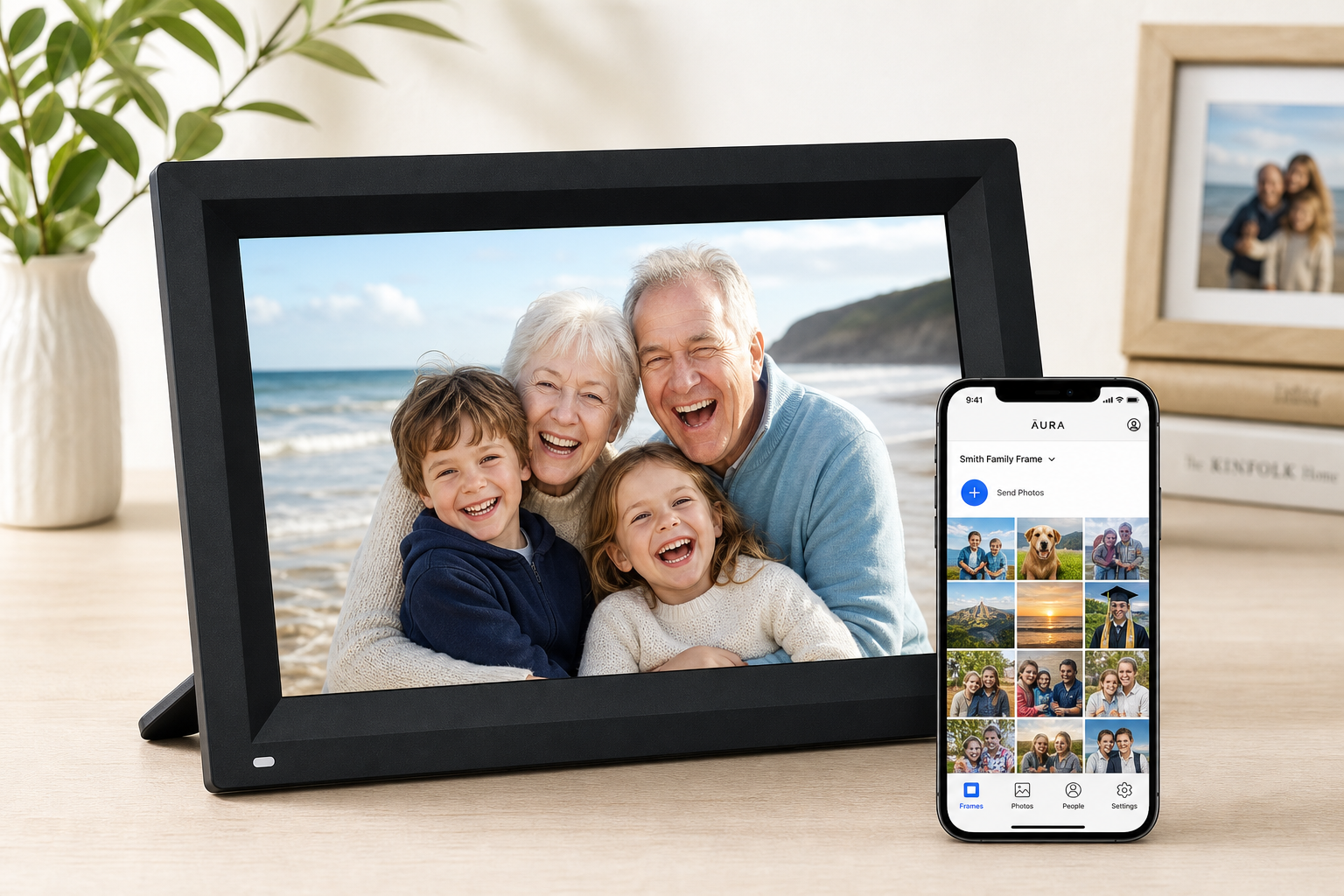
The Aura 10" HD WiFi Digital Picture Frame is designed as a modern alternative to traditional photo frames. Instead of swapping printed photos, you and your family use a mobile app to send pictures directly to the frame over WiFi. The result is a constantly updated slideshow of memories, ideal for gifting to parents, grandparents, or anyone who doesn’t want to fiddle with phones or social media to see new photos.
This model pairs a 10.1‑inch HD display with WiFi connectivity and free, unlimited cloud storage managed through the Aura app. It focuses on simplicity: plug it in, connect to WiFi, and family members can start sending photos from anywhere.
If you purchase it from Amazon, expect typical pricing in the mid‑range digital frame category around $149.00, which is competitive given its cloud services and app integration.
Setup / Getting Started
Unboxing and physical overview
Inside the box you typically find:
- The Aura 10" HD WiFi Digital Picture Frame
- Power adapter
- Quick‑start or setup guide
The frame itself has a 10.1‑inch widescreen display (16:9 aspect ratio) with slim bezels, a clean, modern design, and a tabletop stand. It’s meant to stay plugged in like a small tablet on a shelf, side table, or desk.
Initial configuration
-
Power and placement
- Plug in the included power adapter.
- The frame powers on automatically and walks you through a basic setup wizard.
-
Connect to WiFi
- Choose your 2.4 GHz or 5 GHz WiFi network and enter the password using the on‑screen prompts or via the companion app (depending on region/firmware).
- A persistent WiFi connection is required for receiving new photos and syncing albums.
-
Install the Aura app
- On your Android or iOS device, install the Aura app.
- Create or sign in to an Aura account.
-
Pair the frame
- Within the app, add a new frame.
- Scan the QR code shown on the frame or enter a pairing code.
- Once paired, the frame becomes a destination for any photos you share through the app.
Inviting family and sharing photos
- You can invite multiple family members to contribute photos by sending them an invite link from within the app.
- Contributors don’t need to be on the same WiFi; they just need the app and an internet connection.
- Photos can be shared from the phone’s gallery, cloud albums, or social images saved to the device.
Overall, setup is straightforward, even for non‑technical users, provided someone comfortable with smartphones handles the initial app pairing.
Daily Usage
Display quality and viewing experience
The 10.1‑inch HD panel offers enough resolution for everyday viewing of smartphone photos. Colors are generally vibrant and well‑saturated, and the 16:9 aspect ratio matches many phone videos and landscape shots reasonably well.
The frame is designed to be an always‑on display, cycling through images. Depending on firmware and app options, you can usually:
- Choose slideshow intervals (e.g., every few seconds to every few minutes)
- Toggle shuffle vs. chronological order
- Control whether new photos are prioritized
- Adjust basic brightness or rely on adaptive brightness if available
Interacting with the frame
Physical interaction is intentionally minimal:
- Some Aura frames use touch or gesture‑based controls along the frame edge to move between photos or show details.
- In most cases, you’ll manage albums, contributors, and settings from the app rather than the frame itself.
For the intended audience—especially older relatives—this lack of complexity is a strength. Once set up, they simply walk by and enjoy the slideshow without having to touch anything.
How photo sharing fits into everyday life
Typical daily usage pattern:
- Family members capture photos on their phones.
- Throughout the week, they send selected images to the shared Aura frame via the app.
- The frame automatically refreshes as new content arrives, so recipients see new vacations, birthdays, or candid moments without asking anyone to “send photos.”
This model works particularly well for:
- Grandparents who may not be active on social media.
- Parents who want a living photo album in the kitchen or living room.
- Distributed families who want a shared space for memories across different cities or countries.
Performance & Reliability
Connectivity and syncing
Because the Aura 10" frame relies on WiFi and cloud services, network performance directly affects reliability:
- Photo uploads from phones are generally quick on broadband connections.
- Frame downloads occur in the background; new photos typically appear within moments to a few minutes, depending on connection strength and file size.
In stable WiFi environments, the frame tends to be low maintenance. If the network goes down, previously downloaded photos still display, but no new images will sync until connectivity returns.
Image handling
Key aspects of the way the frame manages images include:
- Cloud storage focus – Photos are stored in the Aura cloud rather than on a removable SD card. The frame caches what it needs for display.
- Compression and scaling – Images are usually resized for the frame’s resolution to balance quality with efficient downloads.
For most users viewing typical smartphone snaps at normal room distance, image quality is more than adequate. Professional photographers scrutinizing fine detail may notice compression limits, but that’s not the primary target audience.
Long‑term reliability considerations
Digital frames like this are effectively small, single‑purpose smart displays. Things to keep in mind:
- Software updates – Updates for the frame and app can improve stability over time, but also occasionally introduce minor bugs or behavior changes.
- Cloud dependency – The experience depends on Aura’s cloud infrastructure. If services are unavailable, sharing and syncing will be impacted even though locally cached photos still show.
In practice, such devices tend to run continuously for months or years with minimal user intervention beyond the occasional reboot or WiFi reconnection.
What Works Well
-
Extremely easy for the recipient
Once the frame is configured, the owner doesn’t have to do anything. New photos simply appear. This is ideal for non‑technical users. -
Free, effectively unlimited cloud storage
Instead of worrying about SD cards or internal storage limits, you send photos to the Aura cloud via the app. The frame pulls from that library automatically. -
Multi‑user sharing
Several family members can contribute photos, turning the frame into a shared family gallery. It’s especially useful for large families spread across locations. -
Solid HD display at a reasonable price point
The 10.1‑inch HD screen provides clear, colorful images at an overall cost that’s competitive among WiFi‑enabled frames in the $149.00 range. -
Thoughtful gift experience
Because setup can be done in advance and photos can be pre‑loaded, the frame works well as a gift: it can be powered on and immediately show meaningful pictures. -
Clean, contemporary design
The simple black 10" form factor blends into most home décor without drawing too much attention.
What Could Be Improved
-
Heavy reliance on WiFi and cloud
Users with unreliable internet may see delayed updates or occasional syncing issues. There’s limited value in the frame without consistent connectivity. -
Less focus on local storage and offline options
Compared with frames that offer USB/SD card playback as the primary mode, this model is firmly app‑and‑cloud‑centric. Some users might prefer more robust offline or direct‑from‑card playback. -
App dependency for configuration
Almost all meaningful settings and album management tasks happen in the app. This is convenient for the tech‑savvy, but it does mean the frame alone isn’t very self‑sufficient. -
Limited manual controls on the device
Basic playback or browsing controls on the frame are intentionally minimal; power users who want deeper on‑device navigation, search, or sorting may find it restrictive. -
Aspect ratio mismatch for some photos
The 16:9 screen can result in black bars or cropping for certain vertical portraits or older camera formats, depending on display settings.
Overall Impression
The Aura 10" HD WiFi Digital Picture Frame is best understood as a shared family photo hub, not just a standalone gadget. Its strengths lie in cloud‑based convenience, easy multi‑user sharing, and a straightforward experience for the person who actually owns the frame.
If you’re looking for a frame you can load once via SD card and never connect to the internet, this is not the ideal choice. But if your priority is effortless, ongoing photo sharing—especially for relatives who don’t use social media or smartphones heavily—the Aura 10" HD frame offers a well‑balanced combination of display quality, app experience, and price in the $149.00 range.
For buyers comfortable with cloud services and smartphone apps, it’s a strong mid‑sized digital frame that can genuinely help keep families more connected through everyday photos.