
Overview
The Google Nest Thermostat (ASIN B08HRPDYTP) is a smart, Wi‑Fi connected thermostat aimed at homeowners who want modern climate control without the complexity or cost of higher-end systems. Sold in multiple finishes including the popular "Snow" color, it replaces a traditional wall thermostat and connects to your home Wi‑Fi, allowing you to control heating and cooling from the Google Home app, compatible smart speakers, and supported smart displays.
Positioned as a more accessible option in Google's smart thermostat lineup, this model emphasizes straightforward installation, a simplified interface, and core energy‑saving features. It is well-suited to users who want remote control, basic automation, and tighter control over energy consumption, but who do not necessarily need the full self‑learning capabilities of the flagship Nest Learning Thermostat.
From a value standpoint, the Google Nest Thermostat typically sits around $108.49 on Amazon, putting it in direct competition with other mid-range smart thermostats while undercutting many premium models.
Standout Features
Modern, minimalist design
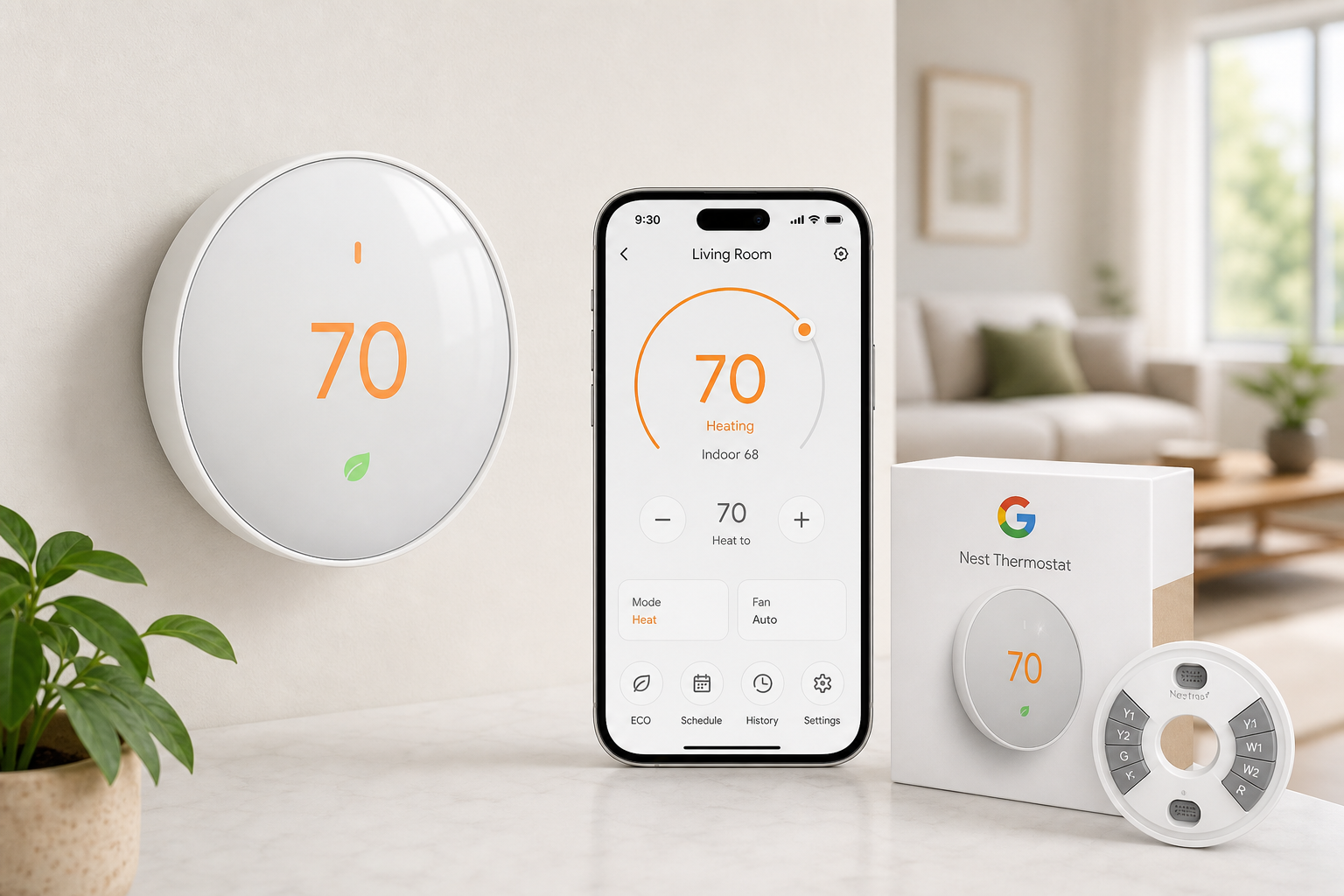
The thermostat features a slim, circular design with a mirrored front and a side touch bar instead of a rotating dial. The look is discreet and contemporary, blending easily into most interiors. The display wakes as you approach or tap it, showing the current temperature, target set point, and basic status icons.
App-based control with Google Home
Rather than a dedicated Nest app, this thermostat is managed primarily through the Google Home app. That means setup, temperature adjustments, schedules, and mode changes (heat, cool, heat/cool, off) are handled within the same environment you may already use for Google smart speakers, cameras, and other devices. The app provides a simple interface for:
- Changing the set temperature
- Switching system modes and fan settings
- Creating and editing schedules
- Viewing basic usage history and energy-saving suggestions
Voice and smart home integration
The Google Nest Thermostat integrates with Google Assistant and works with compatible smart speakers and displays (e.g., Nest Mini, Nest Hub). With the proper configuration, simple voice commands can adjust temperature, change modes, or check the current climate status. In many smart homes, this significantly reduces the need to touch the wall unit at all.
Depending on your broader ecosystem, the thermostat can also participate in automations and routines, such as adjusting temperature when you say a specific phrase, or when lights turn off at night.
Energy-saving modes and suggestions
Energy efficiency is a core use case for any smart thermostat, and this model includes several features that support lower energy consumption:
- Eco temperatures: Preset temperature ranges that prioritize energy savings when you’re away or asleep.
- Scheduling: Customizable schedules that adjust temperature based on time of day and day of week.
- Usage insights: Basic feedback in the app helps you understand when you’re using more energy and suggests small changes to reduce consumption.
These features do not match the depth of analytics offered by some dedicated energy management systems, but they strike a practical balance for everyday users.
Supporting Features
Beyond the headline capabilities, the Google Nest Thermostat incorporates a set of complementary features that round out the experience:
- HVAC compatibility: Designed to work with most 24V heating and cooling systems, including many gas, electric, and forced-air setups. Compatibility still needs to be confirmed for each installation.
- Remote temperature control: You can change the temperature from anywhere with an internet connection using the Google Home app.
- Home/Away functionality (when enabled): With proper permissions, the thermostat can make basic adjustments when it detects that no one is home, helping reduce unnecessary heating or cooling.
- Software updates: Over-the-air firmware updates can add refinements, improve stability, and occasionally introduce new capabilities without requiring hardware changes.
These supporting elements may not drive the purchase decision alone, but collectively they make the thermostat feel more complete and future-proof.
Usability
Installation and setup
Installation is designed to be approachable for homeowners comfortable with basic DIY projects. The process typically includes:
- Turning off power to the HVAC system.
- Removing the old thermostat and labeling the existing wires.
- Mounting the Nest Thermostat baseplate and connecting the wires.
- Attaching the display, restoring power, and following on-screen instructions.
The Google Home app provides step-by-step guidance, including wiring diagrams for many common systems. That said, HVAC wiring can be complex, and some installations—especially those without a C‑wire or with multi-stage systems—may still require professional help.
Daily control
Day-to-day operation is straightforward:
- On the wall unit, you use the side touch bar to scroll through options and confirm selections.
- On mobile devices, the Google Home app presents intuitive temperature sliders and mode buttons.
- Voice commands work naturally once the thermostat is linked to your Google account and assigned to a room.
For users already familiar with other Google smart home products, the learning curve is minimal. New users may need a short adjustment period, particularly with the shift from physical dials and buttons to the touch bar and app-based control, but overall usability is strong.
Scheduling and automation
Schedules are configured in the app with a graphical timeline that separates days and key time blocks (morning, day, evening, night). This makes it easy to:
- Lower heating at night.
- Reduce cooling while you’re at work.
- Pre-warm or pre-cool the home before you wake up or return.
While it does not automatically learn your daily patterns to the same extent as some premium thermostats, manual schedule creation is easy enough that most users can tailor it to their needs within the first week or two.
Performance
Temperature control
In typical installations, the Google Nest Thermostat provides consistent and reasonably precise temperature control. It adjusts heating and cooling cycles to maintain your setpoint while avoiding rapid short cycling that can strain HVAC equipment.
The thermostat supports common HVAC modes:
- Heat
- Cool
- Heat/Cool (automatic switching between heating and cooling within a specified range)
- Off
- Fan-only (where supported by the HVAC system)
Connectivity and reliability
Performance depends on stable Wi‑Fi and a correctly wired connection to your HVAC system. When both are in good shape, the thermostat responds quickly to app changes, voice commands, and schedule triggers. If Wi‑Fi drops, the wall unit continues to operate your HVAC locally, but remote control and some smart features will temporarily be unavailable.
Energy savings
Real-world savings will vary depending on your home’s insulation, HVAC efficiency, climate, and how you use the thermostat. However, users who move from a non-programmable or manually adjusted thermostat to a schedule-driven smart thermostat like this generally see reduced energy use over time. Consistent schedules, Eco settings, and remote adjustments to avoid heating or cooling an empty home are the biggest contributors.
Pros and Cons
Pros
- Clean, modern design that fits most interiors
- Straightforward app-based control via Google Home
- Integration with Google Assistant and compatible smart speakers/displays
- Practical energy-saving features like Eco modes and flexible scheduling
- Remote access from anywhere with an internet connection
- Over-the-air software updates for ongoing improvements
- Typically priced around $108.49, making it more affordable than many high-end smart thermostats
Cons
- Lacks some advanced self-learning features found in premium models
- Installation can still be challenging in homes without a C‑wire or with complex HVAC systems
- Heavily dependent on the Google Home ecosystem; less appealing if you do not use Google services
- Touch bar interface may not be as intuitive as a physical dial for some users
- Energy reports and analytics are relatively basic compared to specialized energy management solutions
Summary
The Google Nest Thermostat (B08HRPDYTP) is a strong option for homeowners looking to modernize their heating and cooling control with a focus on simplicity, smart integration, and practical energy savings. It delivers the core benefits of a smart thermostat—remote access, scheduling, voice control, and Eco modes—without the steeper learning curve or higher cost of more complex systems.
Its strengths lie in its design, easy app-based operation, and seamless integration into the wider Google Home ecosystem. Potential buyers should still confirm HVAC compatibility and be prepared to consult a professional if their wiring is unusual or lacks a C‑wire. For many households, however, this thermostat represents a well-balanced blend of usability, performance, and value.
If you are already invested in Google smart speakers or displays and want a clean, capable thermostat that can help you take better control of your comfort and energy use, the Google Nest Thermostat available at $108.49 on Amazon is a compelling choice to consider.
Product link: https://www.amazon.com/dp/B08HRPDYTP